Pulse reads your CAN bus.
BMS · Inverters · Shunts · No Dynam VCU needed · Free
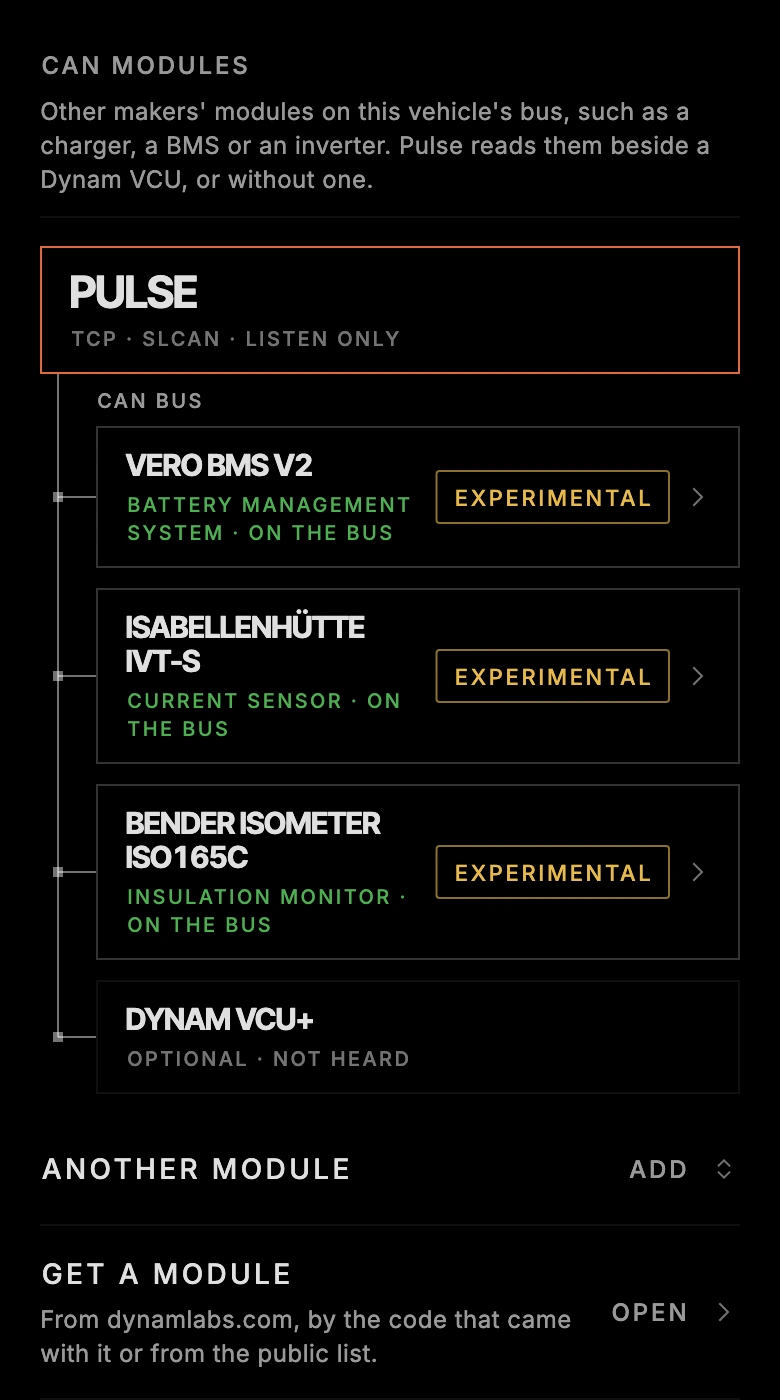
Pick the BMS, inverter or shunt already in your car, and Pulse shows its voltage, current, temperatures and faults. It needs no Dynam VCU and can stay listen-only. Every module says how far its decode has been confirmed, and a capture from your car is what confirms it.
Stepping through the frames · Pick one to hold it
- Bytes 0–1Pack voltage352.00 V0x8980 × 0.01 V
- Bytes 2–3Pack current12.5 A charging0x007D × 0.1 A
- Bytes 4–5Pack temperature21.5 °C0x00D7 × 0.1 °C
- 2 profilesBMSEwert Energy Systems · Vero
- 2 profilesInverterCascadia Motion
- 2 profilesCurrent sensorIsabellenhütte · LEM
- 1 profileInsulation monitorBender
- OptionalVCU+Not needed · With it, Pulse reads both
Does Pulse read yours?
7 modules
- Experimental
Bender ISOMETER iso165C
Insulation monitorIsolation resistance, Isolation fault
4 faultsIn the app - Experimental
Cascadia Motion CM inverter
InverterMotor RPM, Motor torque, Motor stator temperature, Inverter voltage
No faults readIn the app - Experimental
Cascadia Motion PM inverter
InverterMotor RPM, Motor torque, Motor stator temperature, Inverter temperature, and 1 more
No faults readIn the app - Experimental
Isabellenhütte IVT-S
Current sensorPack current, Pack voltage
3 faultsIn the app - Experimental
LEM CAB 300 / CAB 500
Current sensorPack current
1 faultIn the app - Experimental
Pack voltage, Pack current, State of charge, Discharge current limit, and 3 more
24 faultsIn the app - Experimental
Vero BMS V2
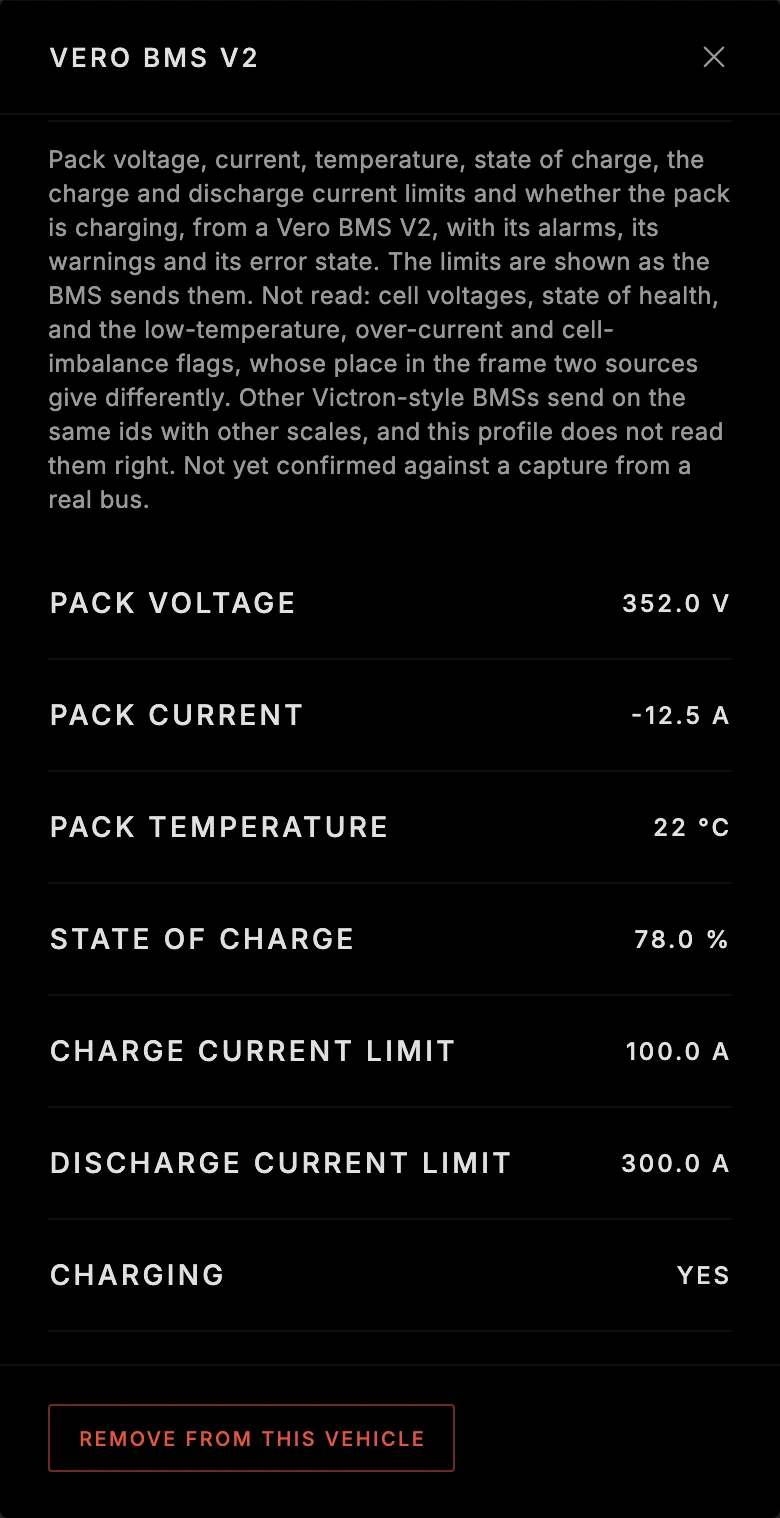
BMSPack voltage, Pack current, Pack temperature, State of charge, and 3 more
15 faultsIn the app
How far to trust a number.
A capture from a real install confirmed the decode. That is the only way a module gets this mark.
Built from the maker's protocol sheet, public code or our own integration work, and not yet confirmed on a real bus. Pulse shows the mark on the module and on every fault it reports.
A file you brought. Pulse shows what the file says and vouches for none of it, whatever the file claims about itself.
- MISSING
- A reading the module did not send is a dash, never a zero.
- INVALID
- A value the module flags as invalid or not available is left out.
- INSULATION
- An insulation reading reaches a dash only from a Verified module.
- ALL CLEAR
- "No faults" is said only by a Verified module that maps its faults.
- DISPUTED
- Where two sources disagree about a signal, it is left out and the notes say so.
- TRANSMIT
- A profile only reads. The format has no way to send a frame.
Where the readings go.
Live data
Diagnostics opens with a group for each module you chose, one reading a row, with the module that reported it.
Faults
What a module flags is counted and listed with the rest, each row naming its module and marked when the decode is not verified.
The cluster
With no Dynam VCU on the bus, Pulse's own cluster shows what your modules report: charge, power and every other reading, each only when a module sends it.
Your dash
A custom dash shows a module's readings where the car has no VCU to report them: pack voltage from your BMS, on a cluster your agent drew.
Bring the DBC.
Paste its DBC
Copy a link to the DBC file, or the text of the file. In Settings → Vehicle → CAN modules, choose Paste. Pulse lists every message that arrives in live data, with the signals named as the file names them.
Record the bus
Bus capture in the same place records every frame for ten seconds and copies it as text. It is an ordinary candump log, so other tools read it too.
Send it to us
A capture is what we write a profile from, and what turns an Experimental one into a Verified one. Mail it with the name of the module.
Publish your own.
Write the profile
A profile is the DBC and a short JSON file that maps its signals to what Pulse shows, lists the faults the module flags, and says in its notes what it leaves out.
Upload it
In the partner portal the profile gets an eight-character code. Your customer enters it in Pulse and the module is there, with no app update.
Ask for the list
A profile is unlisted until you ask for the public list and Dynam approves it. It is Experimental until Dynam has checked the decode against a capture.