VCU+.Vehicle control unit for EV conversions
VCU+ is our vehicle control unit for EV conversions, and a Tesla motor controller. It controls Tesla, Cascadia Motion, Nissan Leaf, Dana TM4, and Sevcon Gen5 drive units over CAN, with no logic board swap, and covers battery, I/O, thermal, and GPS for street and motorsport.
What the VCU+ controls.
Control Tesla, Cascadia Motion, Nissan Leaf, Dana TM4, and Sevcon Gen5 drive units without replacing the inverter logic board.
Winner of the 2025 SEMA New Product Award for Best Emerging Technology Product.
Tune the drivetrain with 12×12 3D torque maps - pedal position against RPM, editable live.
520 MHz MCU on a hard real-time scheduler. Deterministic torque loop, no dropped frames.
3× CAN and 2× SENT on automotive-grade connectors, plus Ethernet for calibration.
VCU+ is the pack master for Dynam satellites (beta) and talks CAN to Orion, Fellten UBP, and Vero. No branded BMS? Bind one in the Lua plugin, or derate from pack voltage.
4× temperature sensor inputs for motor, inverter, and pack thermal tracking.
On-board u-blox GPS for location-triggered logging and geofencing.
A sandboxed Lua runtime runs on the controller itself - custom control algorithms, I/O behaviors, safety logic and integrations, with no firmware rebuild. Every function and signal is published in the Plugin Reference Manual, and Bolt’s local MCP server lets Cursor, Claude or Copilot draft the Lua for you against your connected calibration.
SEE THE PLUGIN RUNTIMEVCU+ flashes Tesla drive units. No extra hardware.
Primary and secondary inverter channels on one controller. Secondary types: Tesla FDU, Cascadia CM/PM, Tesla 3 Rear, Nissan Leaf, or Dana TM4. Tesla LDU, Tesla SDU, and Sevcon Gen5 are primary-only.
TC 6.6kW onboard charger with integrated DC/DC, EVCS.store DC fast charge, and generic J1772 EVSE on the charge port.
BMW F30, Porsche Taycan, digital, or CAN shifters. Tesla S/X and Tesla 3/Y pedal-out presets. Blink PKP-2400-SI keypad on CAN.
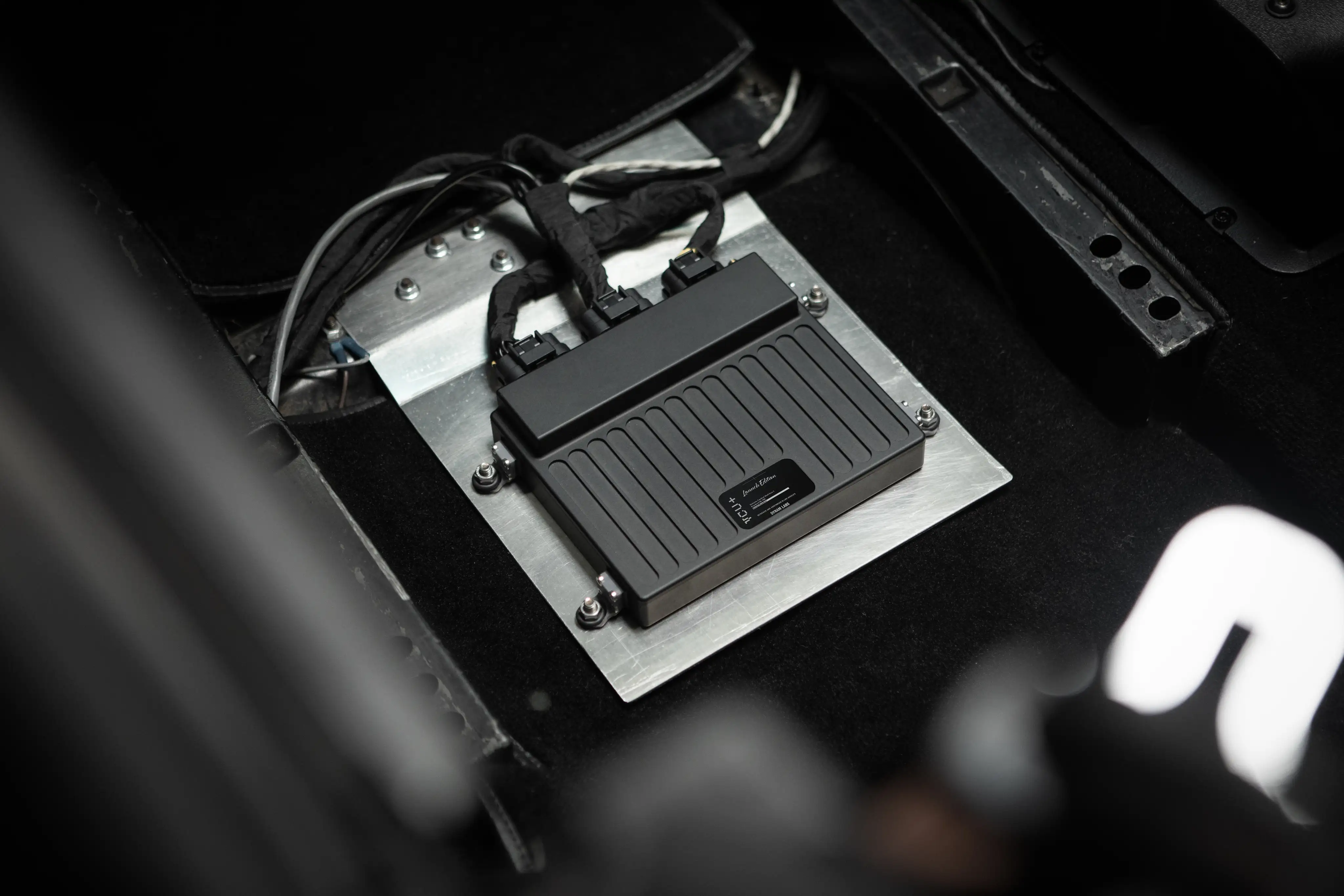
Full hardware specs for VCU+.
Drive units we control directly.
Program the controller yourself.
Plugins execute in a sandboxed Lua runtime on the controller itself - custom control algorithms, I/O behaviors, safety logic and integrations, with no firmware rebuild.
Every function, constant and signal is published in the Plugin Reference Manual and generated from the same typed source that powers Bolt autocomplete and firmware-gated warnings.
Bolt runs a local MCP server, so Cursor, Claude, VS Code Copilot, Gemini CLI and Codex can read the plugin reference and your connected calibration, write the Lua, save it, and push it to the VCU - localhost only and token-gated.
-- AC Compressor Settings
local T_ON = 25.0  -- Turn on if temperature exceeds 25 C
local T_OFF = 20.0 -- Turn off if temperature drops below 20 C

function onTick()
    local temp = getSignal(Temp1)

    if temp ~= nil then
        if temp > T_ON then
            setOut(HS1)
        elseif temp < T_OFF then
            clearOut(HS1)
        end
    end
endManuals, API references, and guides for VCU+.
Bolt
Monitor, calibrate, and flash firmware. 3D torque maps, and the plugin editor for your own Lua.
Open Bolt →Documentation
Quick Start, wiring, Lua Plugin Reference Manual, DBC, release notes.
Read docs →Downloads
Bolt for Mac, Windows and Linux, plus dynam-VCU+.dbc.
Get files →Purchase VCU+.
VCU+ is sold through our authorized reseller partners. Every unit is bench-tested and ships with the firmware it was tested on.
Los Angeles conversion shop. Vintage-to-electric builds, and VCU+ from their store.
Visit Current LA storePurchase VCU+ from Westside EV's online store. Specializing in Tesla drive units, Nick and team offer expert support for VCU+ installations, drive unit services, and custom EV builds.
Visit Westside EV storeNissan Leaf specialist. Leaf-based VCU+ installs and JDM conversions, with checkout and first-line support from the shop.
Visit Magnetomotive storeClassic truck EV conversions and body-on-frame kits. VCU+ is part of their supported conversion platform.
Visit Scotten Motors store