CLOUD.EV fleet telemetry and remote commands · Partner only · Beta
A partner console for the shops that build these cars. Provision a VIN, enroll it from Pulse with Cloud Connect on, and you get live status, history, trips, and a short list of remote commands.
PARTNER CONSOLE◆BETA · INVITE ONLY◆LIVE FLEET MAP◆SOC · RANGE · FAULTS◆PER-TRIP DISTANCE · ENERGY◆LOGS ON REQUEST◆MTLS · PER-DEVICE CERT◆PARTNER CONSOLE◆BETA · INVITE ONLY◆LIVE FLEET MAP◆SOC · RANGE · FAULTS◆PER-TRIP DISTANCE · ENERGY◆LOGS ON REQUEST◆MTLS · PER-DEVICE CERT◆
/ 01
- Fleet
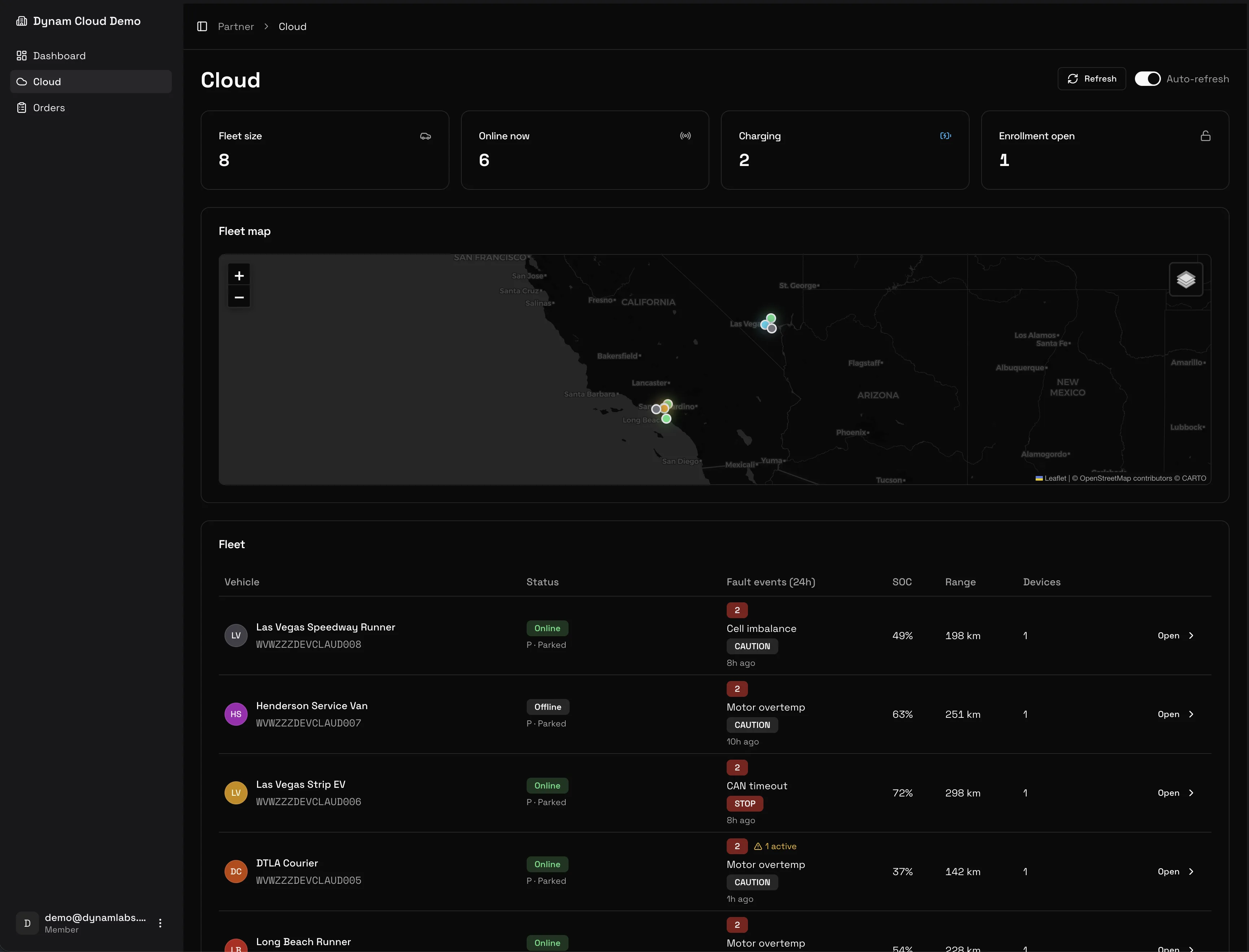
Every car you built, on one page.
Last-known position on a map, counts for fleet size, online now, charging, and open enrollment, and one row per car. There is a live demo you can log into: partner demo login, password demo.
- F1 / FLEET VIEW
FIG. 02 · MAP · KPIS · FLEET TABLE
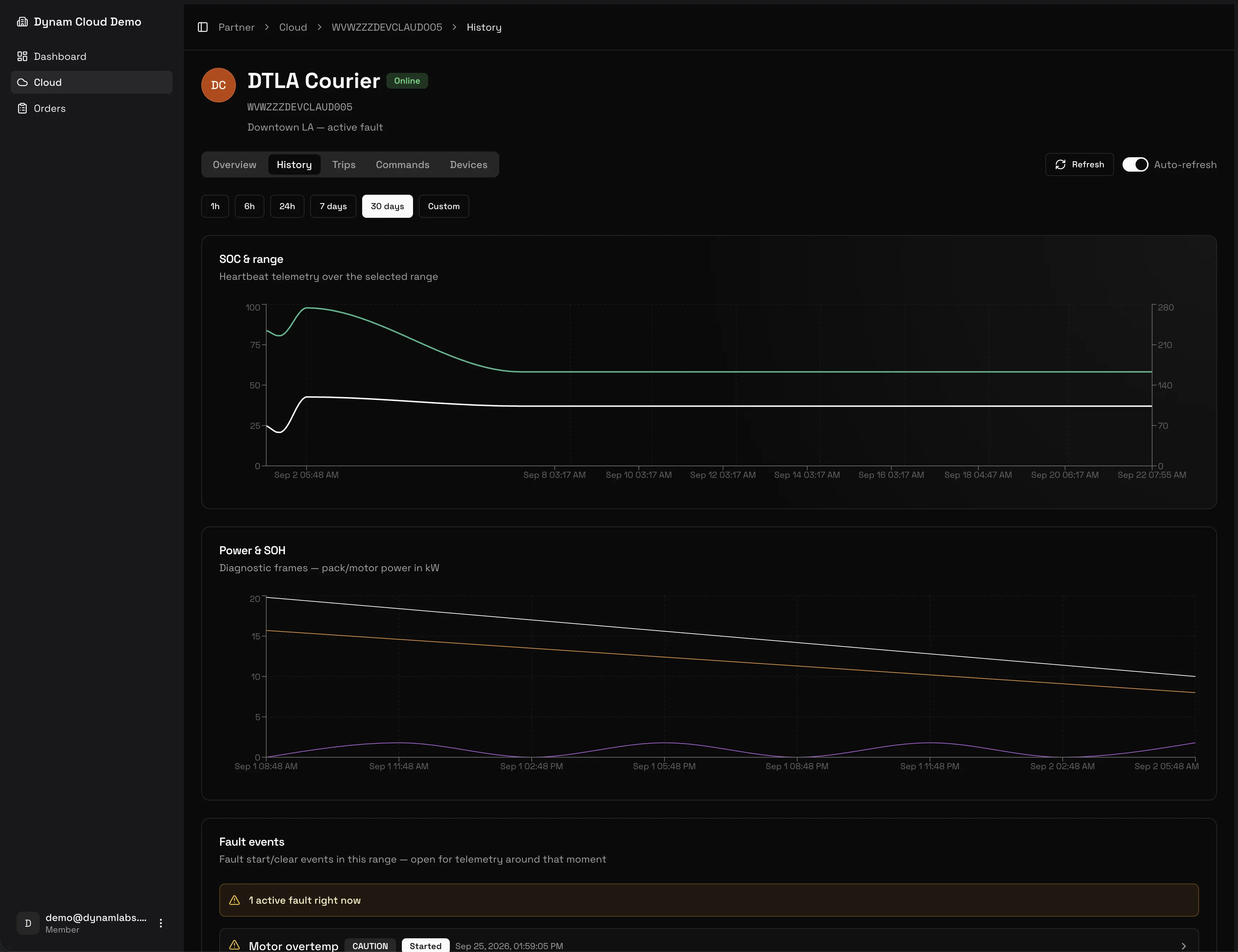
- F2 / HISTORY
FIG. 03 · SOC · POWER · FAULTS
Last-known position.
The pin is the last position the car reported. The row next to it shows status, faults in the last 24 hours, state of charge, range, and how many devices are enrolled.
When a car goes offline.
Status reads Offline · Disconnected, Offline · No vehicle link, or Unexpected offline.
/ 02
- Per-vehicle
What a single car shows.
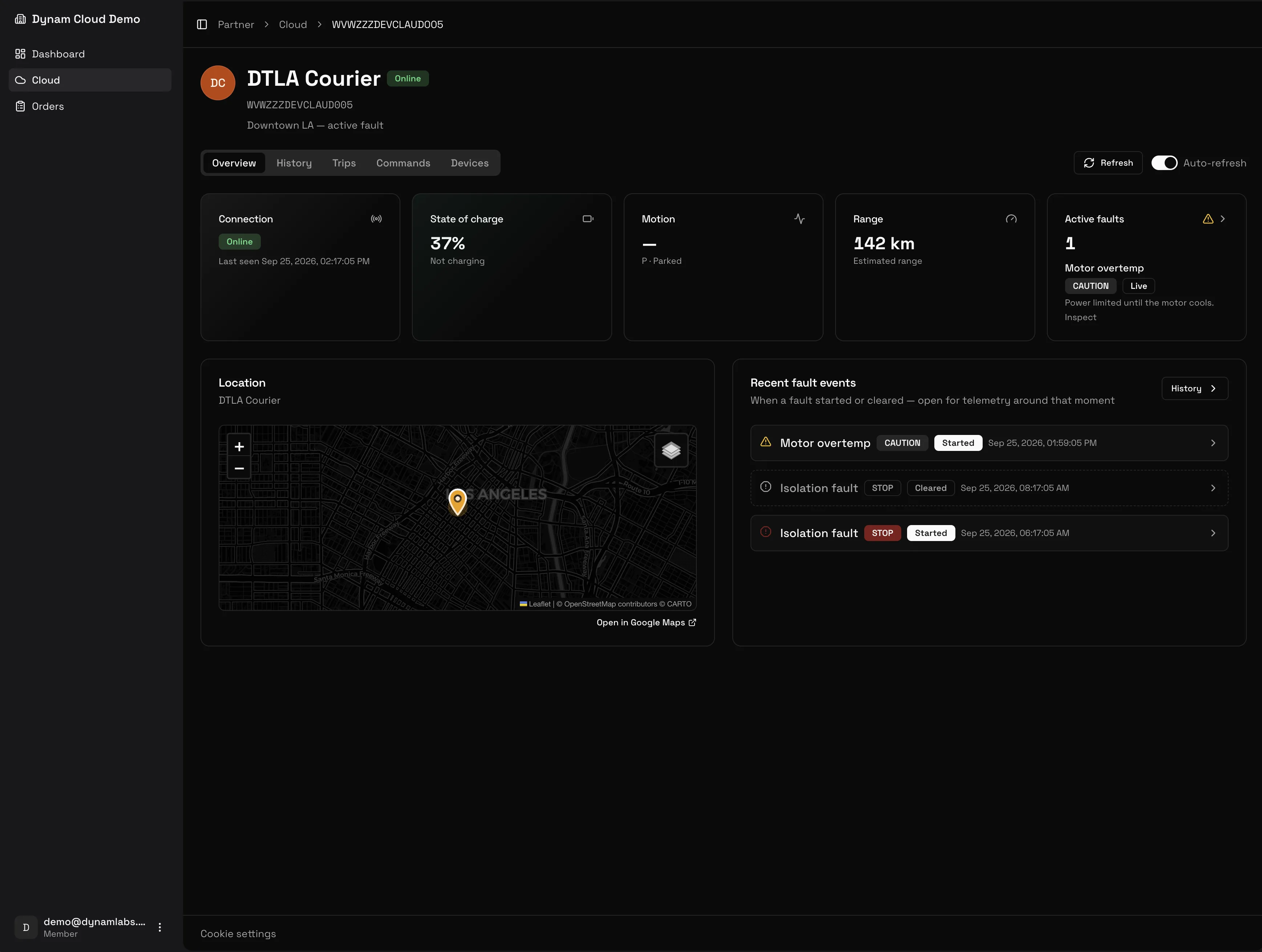
Open a row for the live state, the history, the trips, and the commands you can send.
T1
Overview
Connection, state of charge, motion, range, active faults, a map pin, and recent fault events.
T2
History
State of charge and range, pack and motor power, and fault events. Ranges run from 1 hour to 30 days.
T3
Trips
Distance, energy, and start-to-end state of charge. The log stays on the car until you request it.
T4
Commands
A short list of remote commands for that car.
T5
Devices
Enrolled devices, certificate expiry, last connected, and revoke.
T6
Settings
Name, avatar, and notes. Open or close enrollment. Reopening issues a new token.
/ 03
- Trips
Logs on request.
Every trip lists distance, energy, and start-to-end state of charge. The log stays on the car, marked On vehicle, until you request the upload. Then it is marked In cloud.
- R1 / ON REQUEST
Request trip log.
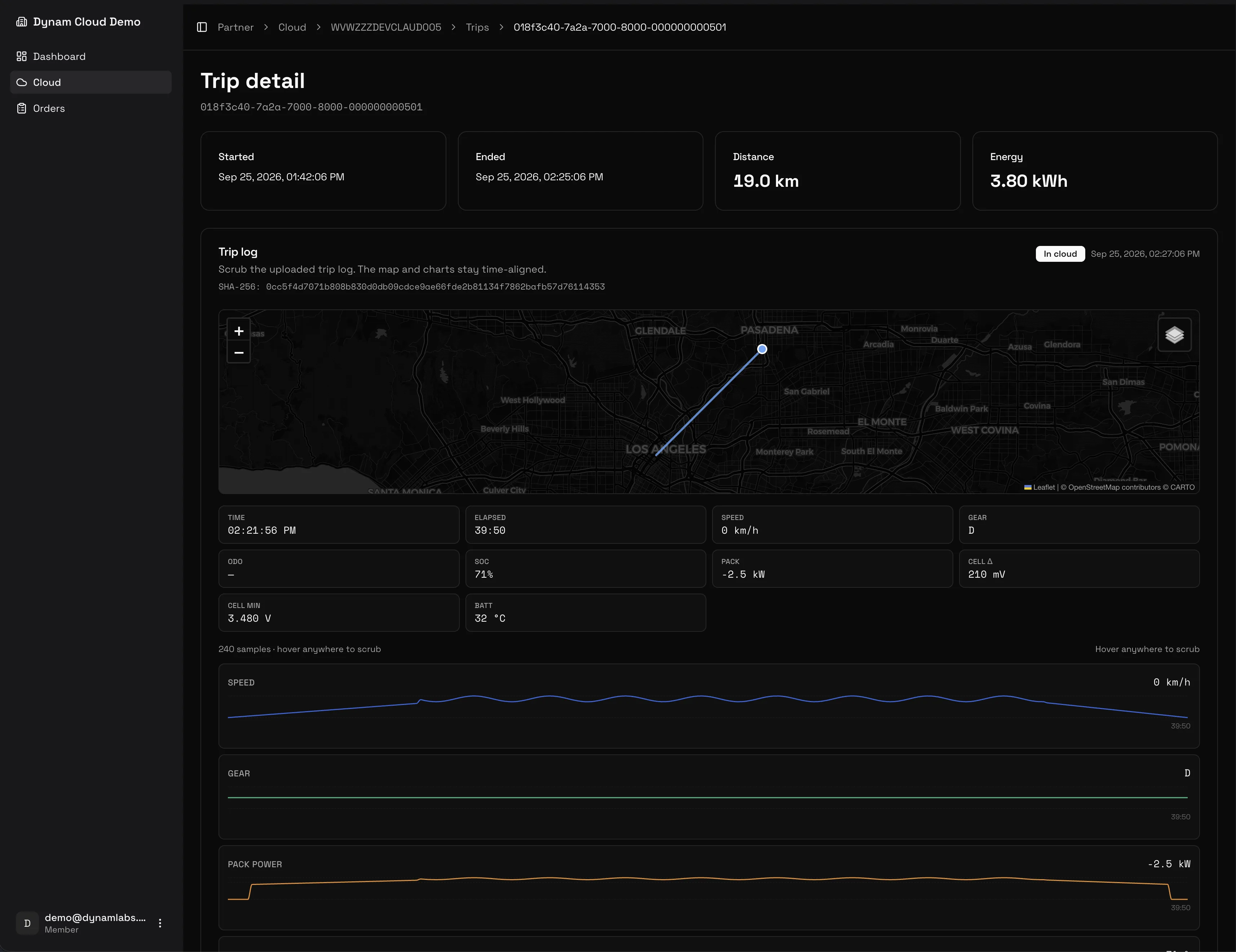
Request the log and the car uploads it. The detail is a scrubber: the map stays aligned with speed, gear, pack power, and state of charge.
- R2 / TRIP DETAIL
SCRUBBER · MAP · CHARTSFIG. 04
- SNAPSHOT LOG
FIG. 05 · SNAPSHOT LOG
- R3 / FAULT CONTEXT
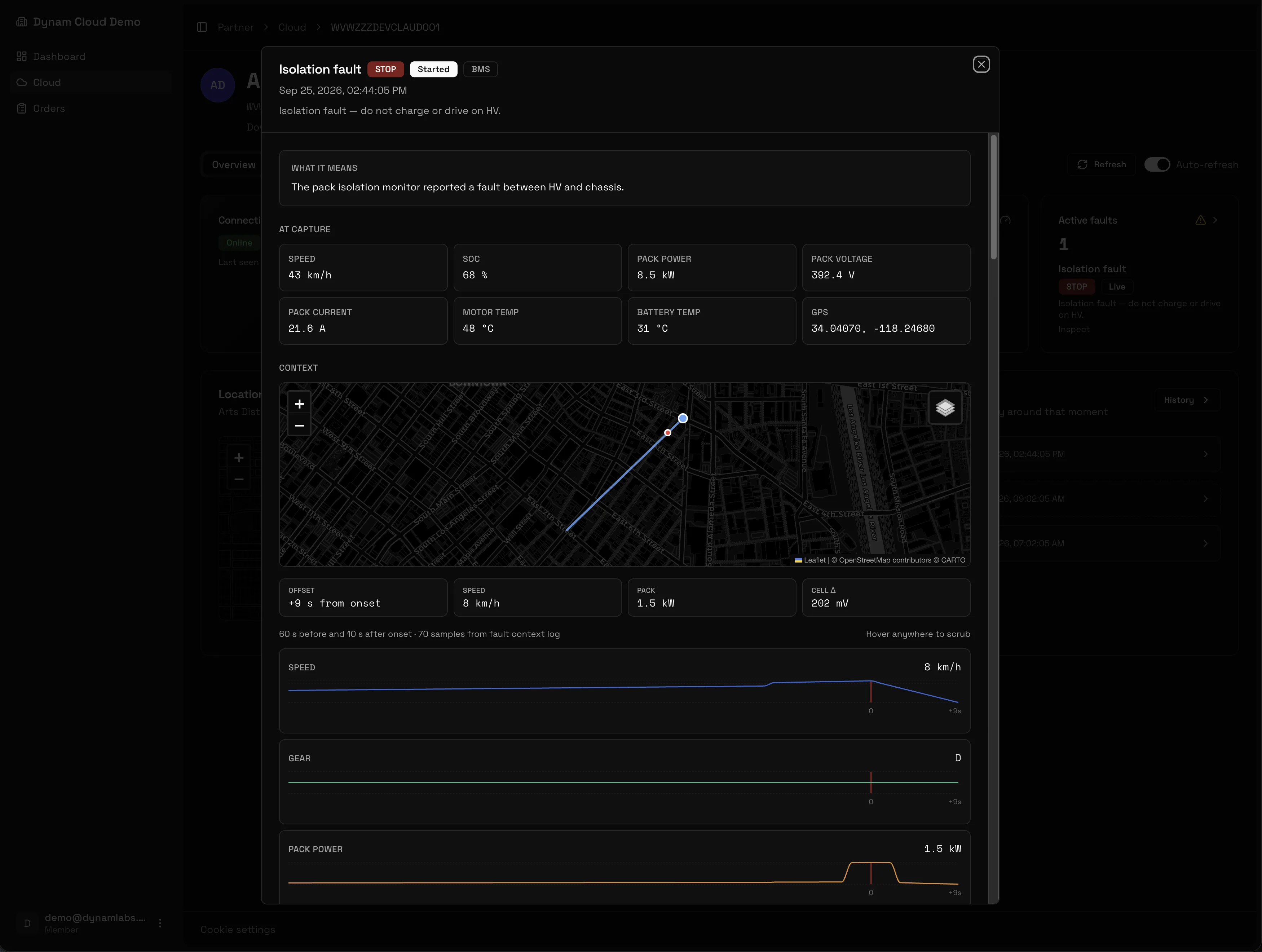
Samples around onset.
A fault can attach a short log from before and after onset: position, speed, pack power, and the samples around that moment.
R4
- DYNAM LINKIN DEVELOPMENT
Dedicated hardware is coming.
Today a car reports through Pulse with Cloud Connect on. We are building Dynam Link, an always-on telematics unit for Dynam Labs vehicles and EV conversions, so a car can report to the console on its own. No date yet.
Dynam Cloud is a partner fleet console for shops that build EV conversions. You provision a VIN, enroll the car from Pulse with Cloud Connect on, and get live status, history, trips, and a short list of remote commands.
Cloud is partner-only and in beta. Access is by invite for shops that build these cars.
Provision the VIN in the console, then enroll it from Pulse with Cloud Connect on. The car reports state of charge, range, position, and faults.
Overview shows connection, state of charge, motion, range, active faults, a map pin, and recent fault events. History charts state of charge, range, and pack power, plus fault events. Each trip lists distance, energy, and start-to-end state of charge. The log stays on the car until you request the upload. You can also send a short list of remote commands.
/ 05 · GET IT
Watch the car after it leaves.
Install Pulse, turn Cloud Connect on, and state of charge, location, and faults show up in the console. Trip logs upload when you request them.